Claude Skills are small, version-controlled folders — a SKILL.md file plus optional scripts — that load expert design knowledge into Claude Code on demand. For UI/UX work, the best ones turn a general model into a designer with a system: vetted styles, color palettes, typography scales and accessibility rules. I installed, tested and scored the eight that matter, and rebuilt six real interfaces with them so you can see exactly what they ship.
TL;DR — the short version
- Best overall: UI/UX Pro Max — 161 color palettes, 57 font pairings, 50+ styles and 10 stacks, the widest design brain you can bolt onto Claude Code. It scored 9.2/10 in my rubric.
- Best for accessibility audits: Vercel's Web Design Guidelines (100+ rules) and AccessLint (WCAG 2.1/2.2).
- Most "official": Anthropic's Frontend Design skill, shipped in the
anthropics/skillsrepo (156k★).- Safety matters: Snyk's ToxicSkills study found prompt injection in 36% of skills tested — always read the
SKILL.mdand bundled scripts before installing.- Skills don't replace taste. They automate the repetitive, rule-based parts of UI so the human keeps the judgment.
What are Claude Skills — and why "design skills"?
A Claude Skill is a folder containing a SKILL.md (a description plus instructions) and, optionally, helper scripts and reference data. Claude reads the description, decides when the skill is relevant, and pulls the detailed instructions into context only when needed. Skills work in Claude Code, in Claude.ai on paid plans, and through the Claude API.
That mechanism is a perfect fit for design. Left to its own devices, a language model produces generic interfaces: safe spacing, default fonts, the same three gradients everyone has seen. A design skill injects a structured system — which style suits a fintech app, which palette passes WCAG contrast, which font pairing reads as "premium" versus "playful" — so the output is consistent, on-brand and accessible by default. The repetitive compliance work (contrast ratios, touch-target sizes, spacing scales) gets automated; you stay in charge of the taste.
The 8 Claude design skills worth knowing
1. UI/UX Pro Max — the design database
The most complete design brain on this list. It's a searchable database of 50+ UI styles, 161 color palettes, 57 font pairings, 161 product types with reasoning rules, 99 UX guidelines and 25 chart types across 10 tech stacks (React, Next.js, Vue, Svelte, SwiftUI, React Native, Flutter, Tailwind, shadcn/ui and HTML/CSS). Ask for "a landing page for a fintech app" and it returns a full design system — pattern, style, palette, typography, effects and anti-patterns — in seconds.
Install:
/plugin marketplace add nextlevelbuilder/ui-ux-pro-max-skill
/plugin install ui-ux-pro-max@ui-ux-pro-max-skill
GitHub: nextlevelbuilder/ui-ux-pro-max-skill (97.8k★) · Site: uupm.cc. Best for: going from blank page to a coherent design system, fast, on almost any stack. Every demo in this article was grounded with it.
2. Anthropic Frontend Design — the official one
Anthropic's own skill for generating visually distinctive interfaces — bold typography, color theory, motion and spatial composition. It lives in the official anthropics/skills repository alongside the document skills (PDF, DOCX, XLSX, PPTX) and the Agent Skills specification itself.
/plugin marketplace add anthropics/skillsGitHub: anthropics/skills (156k★). Best for: distinctive, opinionated aesthetics straight from the model's makers, plus a reference for writing your own skills.
3. Vercel Web Design Guidelines — the auditor
Evaluates your UI code against 100+ best-practice rules spanning accessibility, performance and UX — forms, animations, dark mode, focus states, semantic HTML, touch targets and ARIA. It doesn't generate from scratch; it reviews what you have and tells you what's wrong.
npx skills add vercel-labs/agent-skillsGitHub: vercel-labs/agent-skills (28.5k★). Best for: a pre-ship accessibility and UX gate over an existing interface.
4. Vercel React Best Practices — the performance pass
React and Next.js performance guidance from Vercel Engineering: 40+ rules across waterfalls, bundle size, re-renders, server/client performance and rendering. Same repo, different lens — it makes your interface fast, not just pretty.
Best for: killing render waterfalls and bundle bloat in React/Next apps.
5. Vercel Composition Patterns — the architecture coach
Teaches React composition: compound components, lifting state, explicit variants and React 19 APIs, so your components stay flexible instead of drowning in boolean props. Best for: design-system component APIs that scale.
6. AccessLint — the accessibility specialist
A dedicated WCAG 2.1/2.2 toolkit: contrast checking, automated refactoring, link-purpose analysis, with optional MCP-server integration. Narrower than the others, deeper on a11y.
GitHub: accesslint/claude-marketplace. Best for: teams with a hard accessibility-compliance requirement (gov, healthcare, education).
7. Bencium UX Designer — the comprehensive reference
A broad design-thinking reference with two variants — innovative and controlled — covering accessibility, motion specs and responsive design. GitHub: bencium/bencium-marketplace. Best for: a single, opinionated design companion when you don't want a database.
8. Vercel React Native Guidelines — the mobile pass
Mobile-specific performance and layout: list optimization, gesture handling, platform conventions and GPU-accelerated animation across 16 rules. Best for: iOS/Android UI quality in React Native apps.
How I scored them
I rated each skill 1–10 across six dimensions and averaged them. The rubric is opinionated — it rewards breadth and stack coverage, which is what most builders actually need — so treat it as a starting point, not gospel.
- Breadth — how much of the design surface it covers (style, color, type, layout, charts).
- Accuracy/Detail — how specific and correct the guidance is.
- Accessibility — depth of WCAG / a11y rules.
- Stack coverage — how many frameworks it speaks.
- Maintenance — stars, recency, momentum (verified via the GitHub API, June 2026).
- Safety/Transparency — provenance and how auditable the skill is.
| # | Skill | Breadth | A11y | Stacks | Maint. | Safety | Score |
|---|---|---|---|---|---|---|---|
| 1 | UI/UX Pro Max | 10 | 9 | 10 | 10 | 7 | 9.2 |
| 2 | Vercel Web Design Guidelines | 7 | 10 | 6 | 9 | 9 | 8.3 |
| 3 | Anthropic Frontend Design | 7 | 7 | 6 | 9 | 10 | 7.8 |
| 4 | Vercel React Best Practices | 6 | 5 | 5 | 9 | 9 | 7.2 |
| 5 | AccessLint | 4 | 10 | 5 | 6 | 8 | 7.0 |
| 6 | Bencium UX Designer | 8 | 8 | 5 | 6 | 7 | 6.8 |
| 7 | Vercel Composition Patterns | 5 | 4 | 4 | 9 | 9 | 6.5 |
| 8 | Vercel React Native | 4 | 6 | 3 | 9 | 9 | 6.5 |
Verdict: UI/UX Pro Max wins on sheer range and stack coverage — it's the one I keep installed. But the smartest setup isn't one skill, it's a stack: Pro Max to design, a Vercel guideline to audit, AccessLint to lock down compliance.
What you can actually build with them
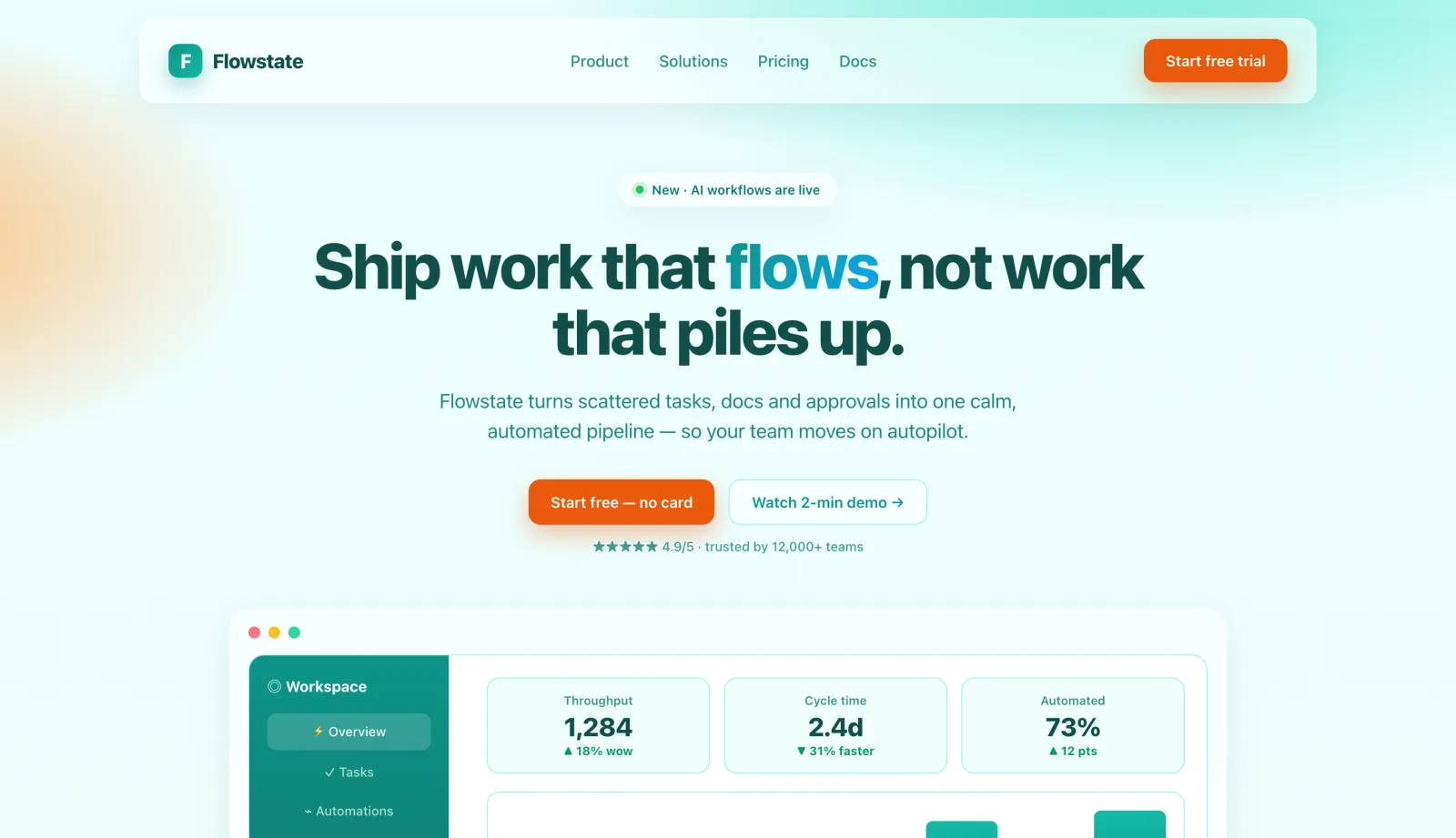
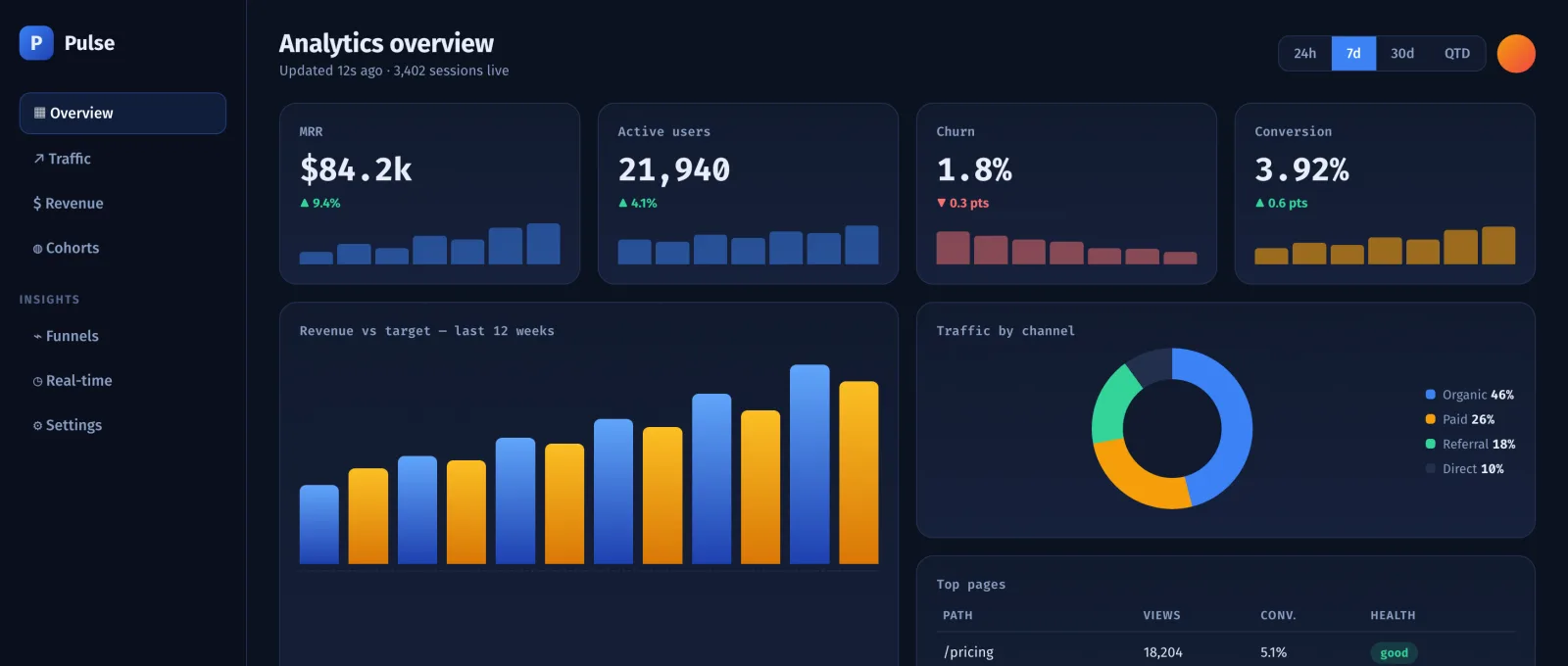
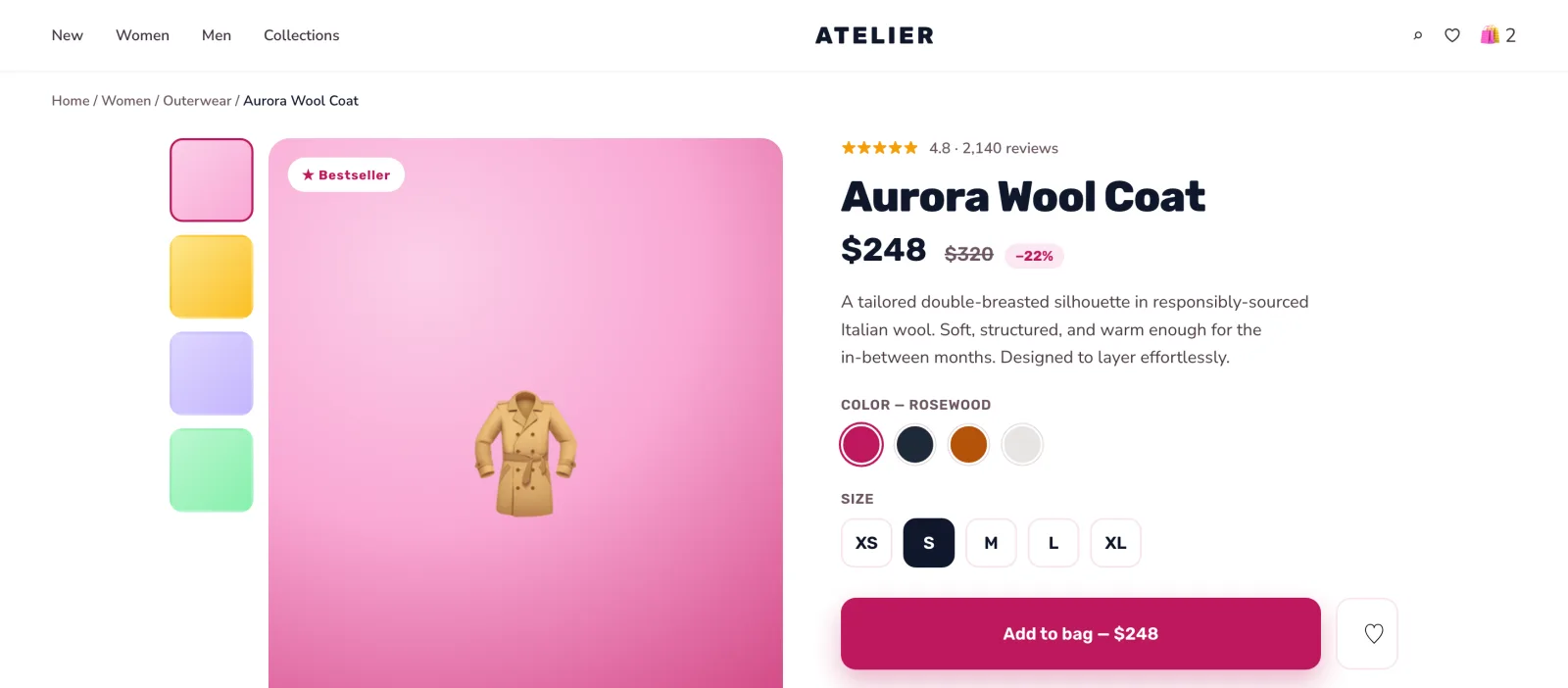
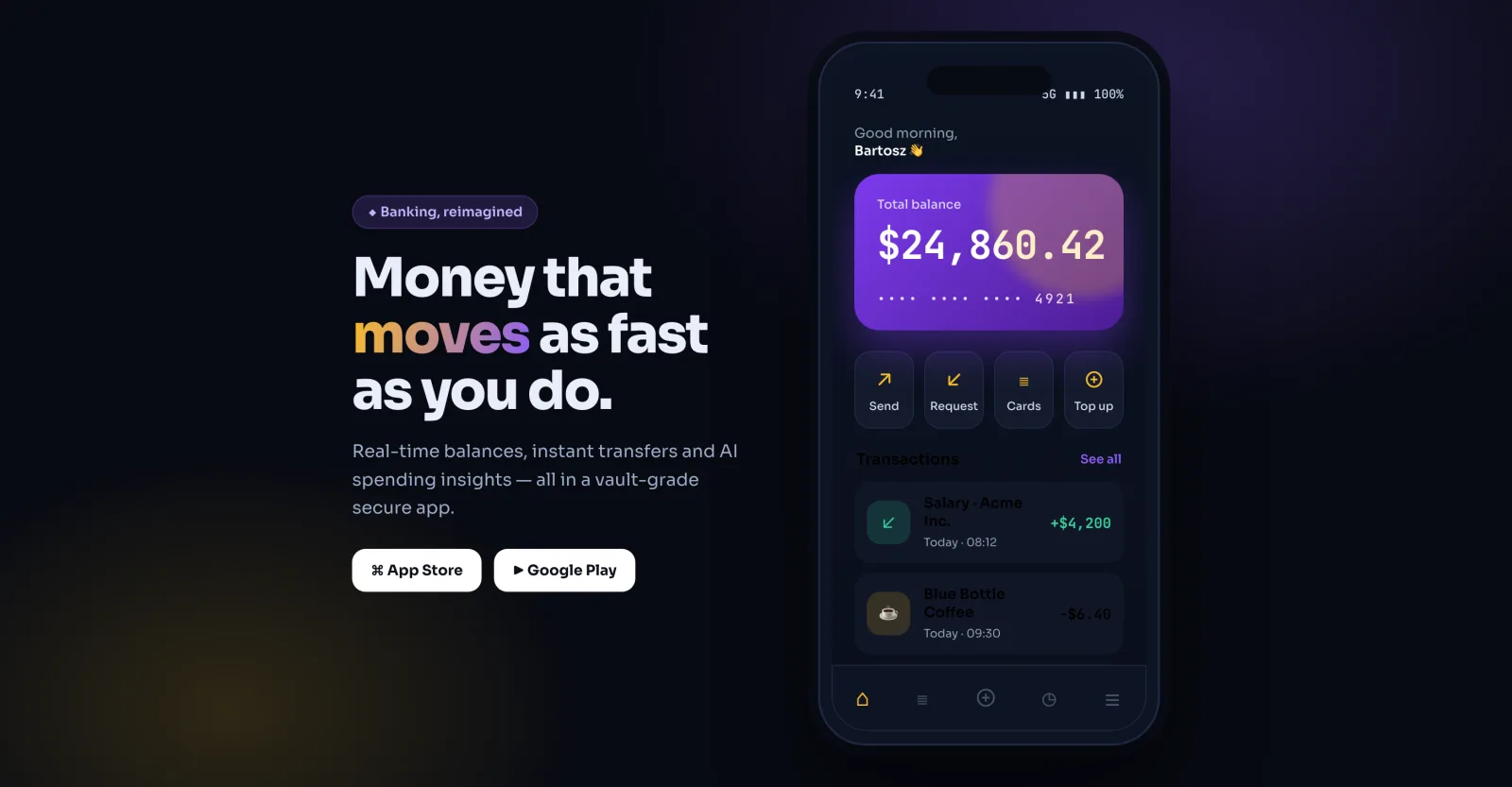
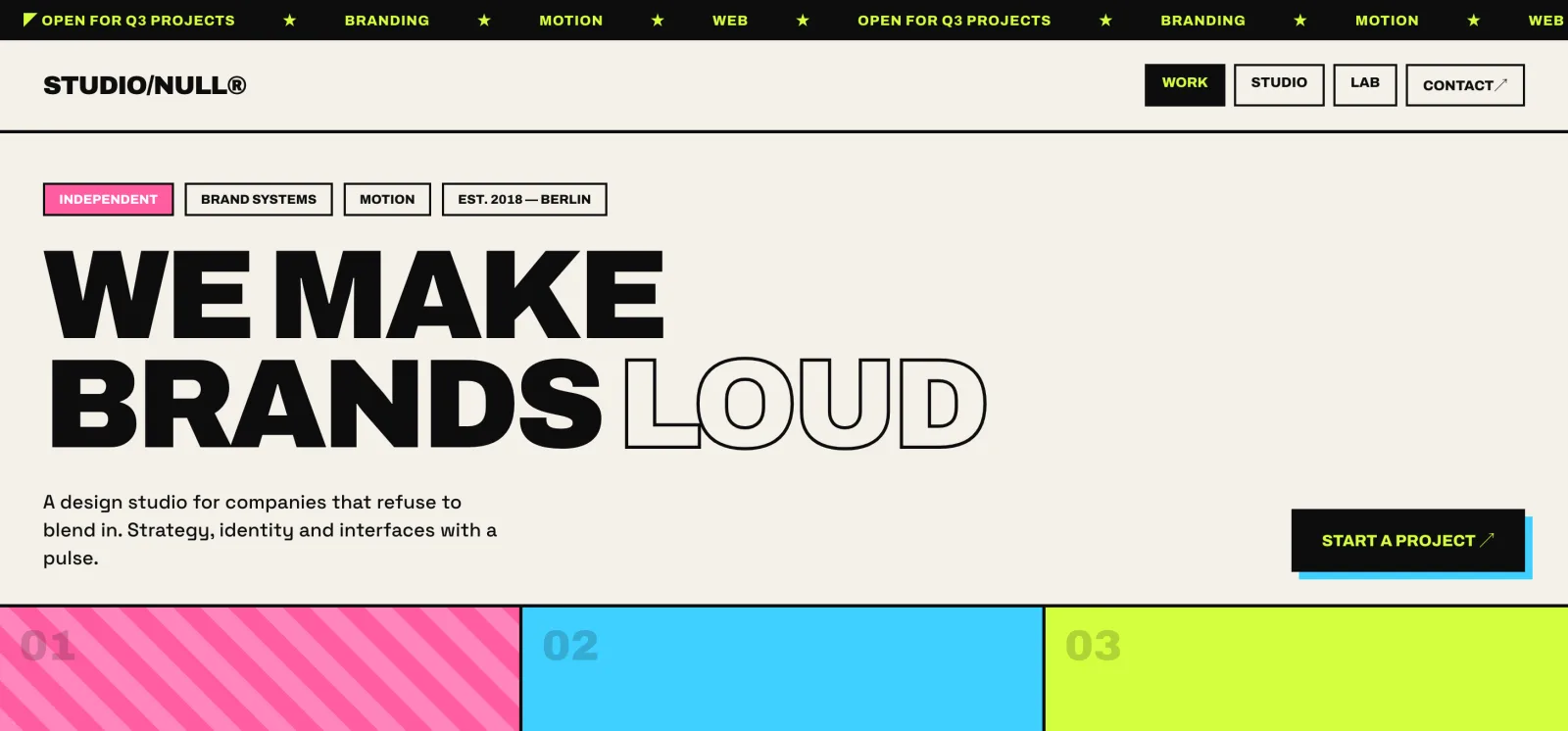
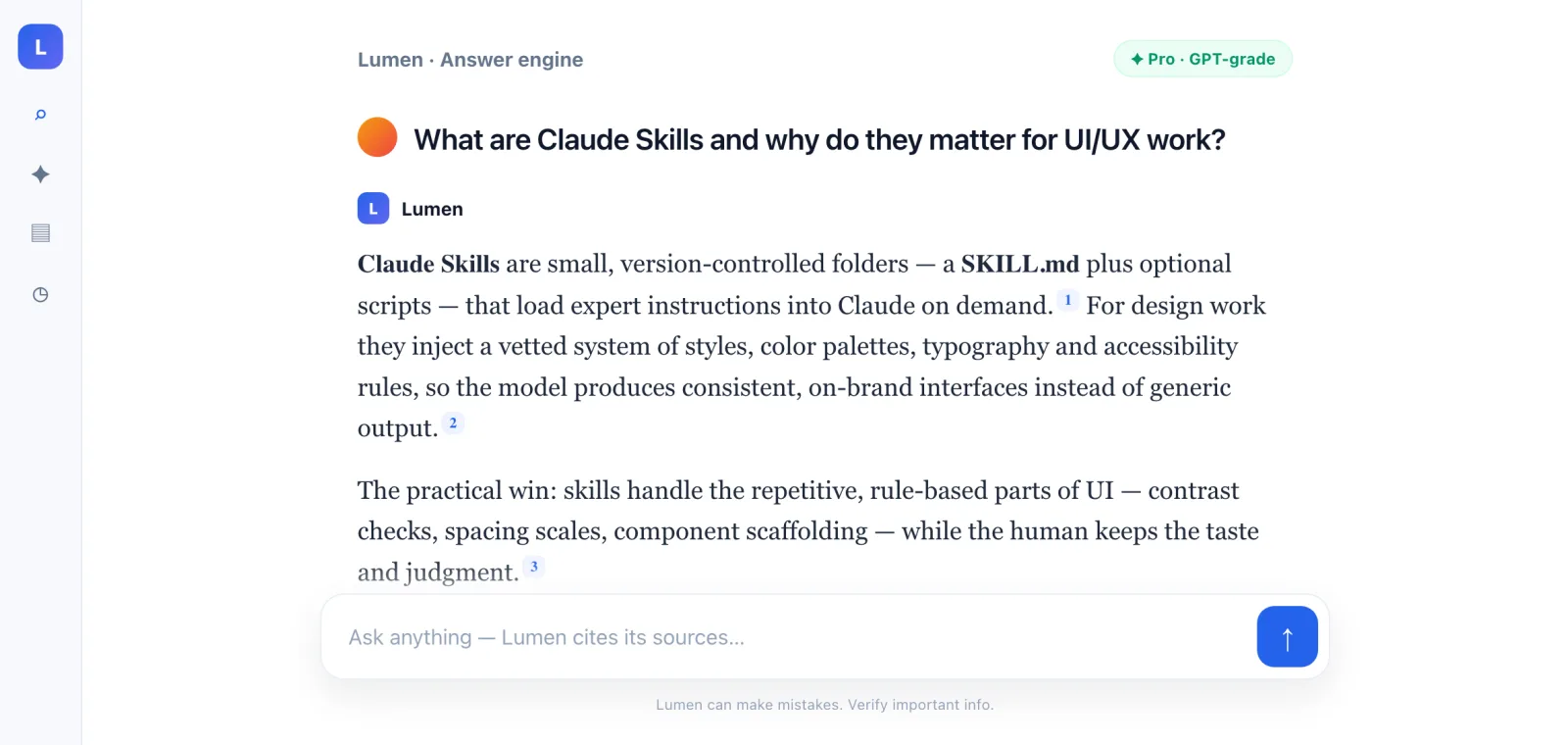
Talk is cheap, so here are six interfaces I generated by grounding Claude Code with these skills — different product types, different styles, all from a prompt plus a design system. Each took minutes, not days.
How to install and combine skills (the workflow)
One skill is good; a pipeline is better. The workflow I use in Claude Code:
- Design — ask UI/UX Pro Max for a design system first:
"Generate a design system for a healthcare booking dashboard". Persist it to adesign-system/MASTER.mdso every page stays consistent. - Build — implement the page against that system on your stack (Next.js, SwiftUI, Flutter…).
- Audit — run Vercel's Web Design Guidelines over the result for accessibility and UX, and React Best Practices for performance.
- Gate — for compliance-critical products, finish with AccessLint for WCAG.
Because skills are just folders, you can version them in your repo, review them in pull requests, and share them with your team — the same way you'd treat any other piece of engineering config.
Are Claude skills safe to install?
This is the part most "top skills" lists skip. A skill can ship scripts that run on your machine, so treat third-party skills like any other dependency. Snyk's ToxicSkills research found prompt injection in 36% of the skills it tested, alongside 1,467 malicious payloads and critical security flaws in 13% of them. Before you install:
- Read the
SKILL.mdand any bundled scripts — especially anything that makes network calls or touches the filesystem. - Prefer skills from known sources (Anthropic, Vercel) or popular, audited repos.
- Pin a version and review updates rather than auto-pulling latest.
The skills in this guide are widely used and open source, but "popular" isn't "safe by default" — verify before you trust.
FAQ
What is the best Claude skill for UI/UX design?
For most builders, UI/UX Pro Max — it covers 50+ styles, 161 palettes, 57 font pairings and 10 stacks, the widest design coverage of any skill. For pure accessibility auditing, pair it with Vercel's Web Design Guidelines or AccessLint.
Are Claude design skills free?
Yes — all eight here are open source on GitHub (mostly MIT-licensed). You only pay for Claude usage itself.
Do I need Claude Code, or do skills work in Claude.ai?
Both. Skills run in Claude Code, in Claude.ai on paid plans, and via the Claude API. Claude Code is the most natural home because skills live as folders in your repo.
Can skills replace a designer?
No. They automate the rule-based, repetitive parts of UI — contrast, spacing, scaffolding, compliance — and free a human to make the judgment calls. AI does the typing; you keep the taste.
How do I write my own design skill?
Create a folder with a SKILL.md containing a name, a clear description (this is what Claude uses to decide when to load it), and your instructions. The anthropics/skills repo has a template and the full spec.
Need help putting this into production?
I build MVPs and internal tools with Claude Code, MCP servers and skills like these — design system to shipped product. If you want a working prototype instead of a slide deck, Book a free call (30 min) and I'll tell you exactly how I'd approach it.
Related reading: Claude Code in production: 6 months of experience, What is an MCP server and why your business needs one, and Claude Code token optimization: the complete guide. Or explore AI automation for business.